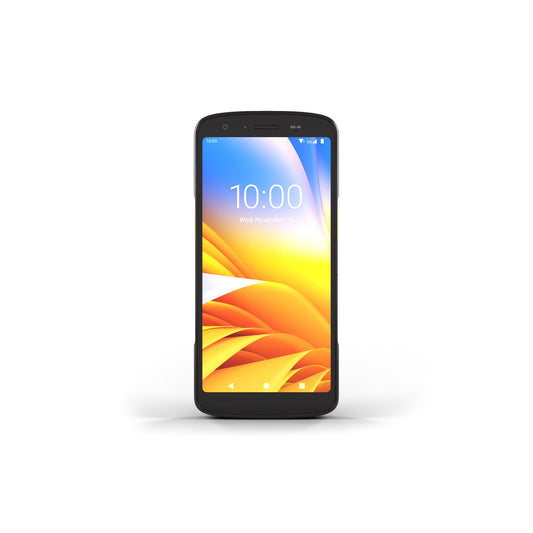
Zebra Part Number Decoder: TC22, TC27, TC53e, TC58e
A Zebra mobile computer part number tells you everything about the device you are buying, and almost nobody reads it. Two terminals that look identical in a photo can differ by 140 euros because one carries an advanced range imager, and the only visible clue is a single letter in the middle of the code. This guide decodes the Zebra part number structure for the four handhelds we sell most in the Baltics and Finland: TC22, TC27, TC53e and TC58e. Read the code once and you will never order the wrong scan engine again.
Which part of the code answers your question?
If you are holding a quote or an old device and need one specific fact, start here.
| What you need to know | Where to look |
|---|---|
| Is it Wi-Fi only or does it take a SIM? | The first block: WLMT0 is TC22 (Wi-Fi only), WCMTB is TC27 (cellular) |
| Standard range or advanced range scanner? | The letter after the memory digit: A or E for standard, C, K or J for the longer range engines |
| How much RAM and storage? | The digit after T22B, T27B, or the fourth character of the TC5 series middle block |
| Standard or extended battery? | The second to last character of the middle block |
| Is it EU stock or a grey import? | The final block: A6 is Rest of World (what we stock), NA is North America |
Model pages, if you already know which family you need: Zebra TC22, Zebra TC27, Zebra TC53e, Zebra TC58e.
How is a Zebra part number built?
Every Zebra handheld part number has three blocks separated by hyphens. The first block identifies the model and its radio platform. The middle block is the configuration string, and it is the one that matters: scan engine, memory, battery and rear connector all live in there. The final block is the market the device was built for.
Zebra does not publish a public decode table, which is why distributor listings vary in quality and why buyers end up comparing prices on codes they cannot read. The mapping below is built by cross referencing our own EU stock against the full configuration descriptions published for the matching North American part numbers, so every line is checkable rather than guessed.
What do the TC22 and TC27 blocks mean?
Take a real code from our stock: WLMT0-T22B6ABC2-A6. Split it and it reads as follows.
| Position | Example | Meaning |
|---|---|---|
| Block 1 | WLMT0 | TC22, WLAN only. WCMTB or WCMTA means TC27 with WWAN (cellular) |
| Model | T22 / T27 | The device family |
| Memory digit | 6 or 8 | 6 = 6 GB RAM with 64 GB flash. 8 = 8 GB RAM with 128 GB flash |
| Scan engine | A or C | A = SE4710 standard range. C = advanced range imager (SE55 in North American listings, SE5500 in the Rest of World sheets) |
| Battery | C, D or E | C = standard battery. D = standard battery with BLE beacon. E = extended battery |
| Rear connector | 2 or 8 | 2 = 2 pin back I/O. 8 = 8 pin back I/O |
| Block 3 | A6 | Rest of World. NA is North America, FT is the FIPS and TAA variant for the US |
So WLMT0-T22B6ABC2-A6 is a Wi-Fi 6 TC22 with the SE4710 standard range imager, 6 GB of RAM, 64 GB of storage, a standard battery, a 2 pin rear connector and EU firmware. Change one character to C in the scan engine slot and you get WLMT0-T22B6CBC2-A6, the same device with the advanced range imager. Change the memory digit to 8 and the connector to 8 and you get WLMT0-T22B8ABC8-A6, which is the configuration to buy if you plan to fit a trigger handle later. Want the longer shift instead of the bigger memory? WLMT0-T22B6ABE2-A6 is the same entry level device with the extended battery.
The TC27 codes work identically. WCMTB-T27B6ABC2-A6 is the cellular twin of the entry level TC22, and WCMTB-T27B8CBD8-A6 is the top configuration: 8 GB with 128 GB, advanced range imager, BLE battery and 8 pin connector.
What do the TC53e and TC58e blocks mean?
The TC5 series uses a different layout but the same logic. A real code: TC530E-0T1E1B1000-A6.
| Position | Example | Meaning |
|---|---|---|
| Block 1 | TC530E | TC53e, Wi-Fi only. TC530R is the TC53e with integrated UHF RFID. TC58BE is the TC58e with 5G |
| Radio | 0T1 / 3T1 | 0T1 on the TC53e, 3T1 on the TC58e |
| Scan engine | E, J or K | E = SE4720 standard range. J = SE4770 (works in bright sunlight, TC58e). K = SE55 or SE5500 advanced range, up to 12.2 m |
| Memory | 1, 6 or 7 | 1 = 6 GB RAM with 64 GB flash. 6 = 8 GB RAM with 128 GB flash. The remaining tier Zebra offers is 8 GB with 64 GB, so confirm the exact figure on your quote if you see another digit |
| Battery | 0, B or E | 0 = standard 4680 mAh. B = 4680 mAh with BLE beacon. E = 7000 mAh extended |
| Tail digits | 00, 01 | Market and security variants, including the secure element option. Worth confirming rather than assuming |
| Block 3 | A6 | Rest of World. EA appears on some RFID variants |
That makes TC530E-0T1K6B1000-A6 a TC53e with the advanced range imager, 8 GB of RAM, 128 GB of storage and the standard battery. On the cellular side, TC58BE-3T1J6B1A80-A6 is a TC58e with the SE4770 engine, which is the one to specify if your team scans outdoors in direct sun.
A note on the older generation: codes beginning TC5301 are the previous TC53, not the TC53e. They decode the same way, and we still hold stock such as TC5301-0T1K4B1000-A6. If you are adding units to an existing TC53 fleet, matching the older code keeps your accessories and cradles compatible.
Which codes do we actually stock?
This is the decoder applied to our own EU shelf. Every part number here is a live product page, so you can go straight from a code on a quote to the exact device.
| Part number | Model | Scan engine | Memory | Battery and back I/O |
|---|---|---|---|---|
| WLMT0-T22B6ABC2-A6 | TC22, Wi-Fi | SE4710 standard | 6 GB / 64 GB | Standard, 2 pin |
| WLMT0-T22B6ABE2-A6 | TC22, Wi-Fi | SE4710 standard | 6 GB / 64 GB | Extended, 2 pin |
| WLMT0-T22B6CBC2-A6 | TC22, Wi-Fi | Advanced range | 6 GB / 64 GB | Standard, 2 pin |
| WLMT0-T22B6CBE2-A6 | TC22, Wi-Fi | Advanced range | 6 GB / 64 GB | Extended, 2 pin |
| WLMT0-T22B8ABC8-A6 | TC22, Wi-Fi | SE4710 standard | 8 GB / 128 GB | Standard, 8 pin |
| WLMT0-T22B8ABD8-A6 | TC22, Wi-Fi | SE4710 standard | 8 GB / 128 GB | Standard with BLE, 8 pin |
| WLMT0-T22B8CBD8-A6 | TC22, Wi-Fi | Advanced range | 8 GB / 128 GB | Standard with BLE, 8 pin |
| TC2205-0G1250SS-E8 | TC22R, integrated UHF RFID | See product page | See product page | RFID codes use a different layout |
| WCMTB-T27B6ABC2-A6 | TC27, cellular | SE4710 standard | 6 GB / 64 GB | Standard, 2 pin |
| WCMTB-T27B6ABE2-A6 | TC27, cellular | SE4710 standard | 6 GB / 64 GB | Extended, 2 pin |
| WCMTB-T27B8ABC8-A6 | TC27, cellular | SE4710 standard | 8 GB / 128 GB | Standard, 8 pin |
| WCMTB-T27B8CBD8-A6 | TC27, cellular | Advanced range | 8 GB / 128 GB | Standard with BLE, 8 pin |
| TC530E-0T1E1B1000-A6 | TC53e, Wi-Fi | SE4720 standard | 6 GB / 64 GB | 4680 mAh |
| TC530E-0T1K1B1000-A6 | TC53e, Wi-Fi | SE5500 advanced | 6 GB / 64 GB | 4680 mAh |
| TC530E-0T1K6B1000-A6 | TC53e, Wi-Fi | SE5500 advanced | 8 GB / 128 GB | 4680 mAh |
| TC530R-0T1E1B1000-EA | TC53e with UHF RFID | SE4720 standard | 6 GB / 64 GB | 4680 mAh |
| TC58BE-3T1J6B1A80-A6 | TC58e, 5G | SE4770 bright sun | 8 GB / 128 GB | 4680 mAh |
| TC58BE-3T1K6B1A80-A6 | TC58e, 5G | SE5500 advanced | 8 GB / 128 GB | 4680 mAh |
Which single character changes the price most?
Reading the code is only useful if you know what each option costs. These are the approximate differences between otherwise identical configurations in our own EU price list, and they hold reasonably steady even as list prices move.
| Change | Character that moves | Approximate price impact |
|---|---|---|
| Standard range to advanced range imager (TC22 or TC27) | A becomes C | Around 140 euros |
| 6 GB / 64 GB to 8 GB / 128 GB (TC22 or TC27) | 6 becomes 8 | Around 135 euros |
| Standard to extended battery (TC22 or TC27) | C becomes E | Around 35 euros |
| SE4720 to SE5500 on the TC53e | E becomes K | Around 52 euros |
| Wi-Fi only to cellular (TC22 to TC27) | WLMT0 becomes WCMTB | Around 70 euros |
The honest reading of that table: the advanced range imager is the expensive decision and the one people over specify. If your longest scan is a pallet label at three metres, the standard SE4710 or SE4720 handles it. The SE55 and SE5500 engines earn their money in high bay racking where you are reading a label 8 to 12 metres up, and nowhere else. Extended battery, at roughly 35 euros, is the cheapest genuinely useful upgrade on the list, and it is the one most buyers skip.
Where do buyers get this wrong when reordering?
Four mistakes come up again and again in our order desk.
Ordering NA stock because it looked cheaper. A part number ending in NA is built for North America. The Wi-Fi channel set and the WWAN bands differ, the charger is a US plug, and Zebra warranty handling in Europe on a device sold into another region is a slow conversation you do not want to have. Anything ending A6 is the Rest of World build we stock for the EU.
Mixing 2 pin and 8 pin rear connectors in one fleet. The back I/O digit decides which trigger handles, vehicle cradles and expansion backs will fit. If half your fleet is a 2 and half is an 8, you now own two sets of accessories. Pick one and stay with it.
Assuming the cradle follows the device. Cradles are keyed to the device family, not the configuration, but a device in a rugged boot may need a different cradle cup. Check the accessory part number against the device family before you order twenty of them.
Reading the memory digit as a screen size. The TC22, TC27, TC53e and TC58e all have a 6 inch display. The 6 in T22B6 is memory, not inches.
Common questions
Can I tell the Android version from the part number?
No. Android version is a firmware matter, not a hardware SKU option, and Zebra updates devices through LifeGuard across their supported life. Check the current supported version on Zebra's Android page rather than in the code.
What does GMS in a listing description mean?
Google Mobile Services, which means Google Play and Google account services are present. Almost all EU stock is GMS. Non GMS builds exist mainly for markets where Google services are unavailable.
Is TC22 or TC27 the newer device compared with TC21 and TC26?
TC22 and TC27 replaced TC21 and TC26 in the value tier. If you are running TC21 or TC26 units and need to add compatible devices, the TC22 and TC27 are the direct successors, though accessories are not always interchangeable.
What is the difference between TC53e and TC58e in practice?
The TC58e adds 5G cellular with a nano SIM and eSIM, plus the SE4770 engine option and a pressure sensor. If your staff never leave a building with Wi-Fi coverage, the TC53e does the same job for less.
Does the R in TC530R mean anything useful?
Yes. It is the TC53e with integrated UHF RFID, reading to roughly 1.2 metres at about 20 tags per second. Buy it only if you actually run RFID tags, because it costs meaningfully more than the barcode only build. The same applies to the TC22R in the value tier.
How rugged are these actually?
The TC53e and TC58e are rated IP68 and IP65, survive a 2.4 m drop to concrete with the boot fitted, and are specified for 1000 tumbles from 0.5 m. Operating range is minus 20 to plus 50 degrees Celsius, which covers a Baltic yard in January but not a freezer store.
Ordering with confidence
Once you can read the code, a quote stops being a wall of characters and becomes a specification you can check line by line. Before you sign off on a fleet order, confirm four things: the region block says A6, the scan engine letter matches your longest real scanning distance, the rear connector digit is the same across every unit, and the battery choice reflects how long a shift actually runs. Compare configurations on the Zebra TC22, Zebra TC27, Zebra TC53e and Zebra TC58e pages, browse the wider mobile terminals range and handheld terminals category, and check mobile terminal accessories for the cradles, batteries and trigger handles that match the connector type you have chosen.
Manufacturer references: Zebra TC22 and TC27 specification sheet and Zebra TC53e, TC53e RFID and TC58e specification sheet.
Tags:
Previous
Receipt Printer Troubleshooting: 9 Faults and Real Fixes
Next
Thermal Transfer Ribbons: Wax vs Wax/Resin vs Resin