GS1 Sunrise 2027: Is Your Checkout Scanner 2D-Ready?
GS1 Sunrise 2027 is the date by which retail checkout scanners worldwide are expected to read 2D barcodes as well as the classic EAN-13. Suppliers are already printing GS1 DataMatrix and QR codes with GS1 Digital Link on packs, and a till with a 1D-only scanner will simply ignore them. The fix is cheap if you plan it now and annoying if you discover it during a recall. This checklist shows how to audit the scanners you have, which 2D barcode scanner to order for each type of checkout, and what the POS software has to do with the extra data.
Which 2D checkout scanner should you order?
If you already know your scanner is 1D-only, start here. Every model below is an area imager that reads 1D and 2D codes on labels and on phone screens.
| Your situation | Order this | Why |
|---|---|---|
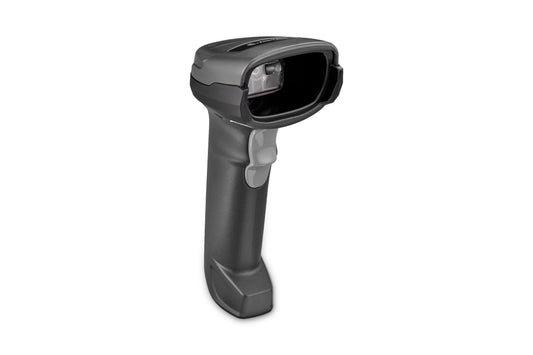
| Staffed till, corded, tight budget | Zebra DS2208 (DS2208-SR7U2100SGW) or Datalogic QuickScan QW2520 (QW2520-BKK1) | Entry-level 2D imagers, fine for EAN, GS1 DataMatrix and QR at the counter |
| Staffed till, cordless, bulky items on the belt | Zebra DS2278 (DS2278-SR7U2100PRW) | Bluetooth version of the DS2208 with a cradle, so the cashier can reach a crate of water |
| Damaged labels, items at the bottom of the trolley | Honeywell Voyager 1470g (1470G2D-2USB-EU) | Longer reach and forgiving on poorly printed codes |
| Hands-free counter: pharmacy, kiosk, café, small shop | Datalogic Magellan 900i (MG0901-10000-0200) | Compact omnidirectional 2D presentation scanner, customers can hold a phone or a pack in front of it |
| Supermarket lane, high throughput | Datalogic Magellan 9900i (99111001000-000100) | Multi-plane in-counter imager, reads 1D, 2D, GS1 DataBar and GS1 Digital Link codes |
What does GS1 Sunrise 2027 actually require?
GS1, the organisation that issues GTINs, set an industry target: retail POS scanners globally should be capable of reading and processing both the old linear barcodes and the new 2D barcodes by the end of 2027. It is not an EU regulation and nobody will fine you on 1 January 2028. It matters because your suppliers, your own-label producers and your local GS1 office are all working to that date, and GS1 has already published guidance for retailers moving own-label and in-store labelled goods (deli, bakery, weighed items) to a single 2D code.
The GS1 2D Barcodes at Retail Point-of-Sale Implementation Guideline lists what a ready scanner must do:
| Requirement | What it means at the till |
|---|---|
| Decode EAN/UPC and the GS1 DataBar retail family | Everything you scan today keeps working |
| Decode GS1 DataMatrix | The square code now common on fresh food, pharmacy and cosmetics |
| Decode Data Matrix and QR Code carrying a GS1 Digital Link URI | The QR code on the pack that a consumer phone opens as a web page, but which also carries the GTIN |
| Convert a GS1 Digital Link URI into GS1 element string syntax | The POS receives the GTIN and batch data, not a web address |
| Read normal and inverse (light on dark) 2D codes | Codes printed white on a dark can or pouch still scan |
| Ignore non-GS1 codes if configured | A marketing QR code does not ring up as an item |
| Decode within 500 ms (handheld and presentation) or 300 ms (bioptic) | No slowdown versus EAN scanning |
The guideline also defines what the scanner sends: either the first GTIN found, or the 2D code with priority so that batch, expiry date and other data travel with the GTIN, or every GS1 code on the pack in one scan. Your POS supplier decides which mode it can handle.
How do you know if your current scanner is 1D-only?
The fastest test: open any QR code on your phone and scan it into Notepad. No beep, no 2D. Then check the model, because many shops run hardware that looks modern but has a linear engine:
| Model you may have | Engine | Ready for 2027? |
|---|---|---|
| Zebra LS2208 | 1D laser | No, replace |
| Zebra LI2208 | 1D linear imager | No, replace |
| Datalogic QuickScan QD2200 (QD2220) | 1D linear imager | No, replace with QW2520 |
| Honeywell Voyager 1472g, part number 1472G1D | 1D | No, the 1472G2D version is 2D |
| Newland BS80 Piranha, NLS-BS8080-1D | 1D | No, the NLS-BS8080-2D version is 2D |
| Zebra DS2208, DS2278, DS4608, Honeywell 1470g, Datalogic QW2520, Magellan 900i | 2D area imager | Hardware yes, check firmware and settings |
Watch the part number, not the family name. The same Voyager housing ships as a 1D and a 2D product, and the 1D one is cheaper for a reason. If your purchasing history shows "1D" anywhere in the SKU, that till needs a new scanner.
Is a 2D barcode scanner enough, or does the POS need work too?
The scanner is the easy half. Most of the problems turn up on the software side:
- The group separator gets lost. GS1 DataMatrix uses an invisible control character (hex 1D) between variable-length fields such as batch and serial number. In USB keyboard (HID) mode many POS programs drop it or turn it into something else, and the batch number merges with the next field. Either switch the scanner to USB-COM (virtual serial port) if the POS supports it, or program the scanner to replace the separator with a character your POS expects.
- Keyboard layout scrambles the data. A Digital Link QR code contains characters such as / : ? and =. With a Czech or Polish keyboard layout on the PC and a scanner set to US, those characters come out wrong. On Czech layouts even the digits can turn into accented letters. Set the scanner's keyboard country to match Windows, or use the scanner's Digital Link conversion so it sends element strings instead.
- The POS ignores the extra data. Reading the 2D code is pointless if the till only takes the GTIN. Ask your POS supplier whether it can parse application identifiers such as (10) batch and (17) expiry date, and whether it can block a sale on an expired or recalled batch. That is the real payoff of 2D at the checkout.
- Symbology identifiers are switched off. The guideline expects ]d2 for GS1 DataMatrix, ]d1 for Data Matrix with Digital Link and ]Q1 for QR with Digital Link. Turning on the identifier prefix lets the POS tell a GS1 code from an ordinary one.
How should you plan the switch before the end of 2027?
- Inventory every till. Note model and full part number. Half an hour with a phone camera and a QR code on screen settles most of them.
- Update firmware on the 2D units you keep. Use Zebra 123Scan, Honeywell EZConfig or Datalogic Aladdin. Check the release notes for GS1 Digital Link conversion and inverse 2D decoding; a unit still on its original firmware may lack both.
- Replace 1D units in one batch per store. Mixed fleets cause support calls, because cashiers learn that "this till scans it and that one does not".
- Test with real packs. Collect a dozen products from your shelves that already carry GS1 DataMatrix or a GS1 QR code, plus your own in-store labels, and run them through each till configuration.
- Agree the data mode with your POS supplier before you configure 40 scanners by barcode sheet.
The honest trade-off: a small shop selling only branded packaged goods can keep a working 1D scanner for a while, since EAN-13 is not disappearing during the transition. A shop selling fresh, weighed or own-label goods, or anything with an expiry date, should move first.
Common questions
Is GS1 Sunrise 2027 a legal requirement?
No. It is a GS1 industry target, not EU or national law. It becomes a practical requirement as suppliers start printing 2D codes and, for some own-label goods, drop the EAN.
Will my 1D scanner stop working in 2028?
No. It will keep reading EAN-13 and GS1 DataBar. It will not read GS1 DataMatrix or QR codes, so any product carrying only a 2D code will fail at that till.
Can a firmware update turn a 1D scanner into a 2D scanner?
No. Lasers and linear imagers physically cannot capture a 2D code. Firmware helps only on scanners that already have an area imager.
Do I need a bioptic in-counter scanner?
Only for high-volume lanes. For a normal staffed till, a handheld or a presentation scanner such as the Magellan 900i reads the same codes.
Do I have to print 2D codes on my own labels?
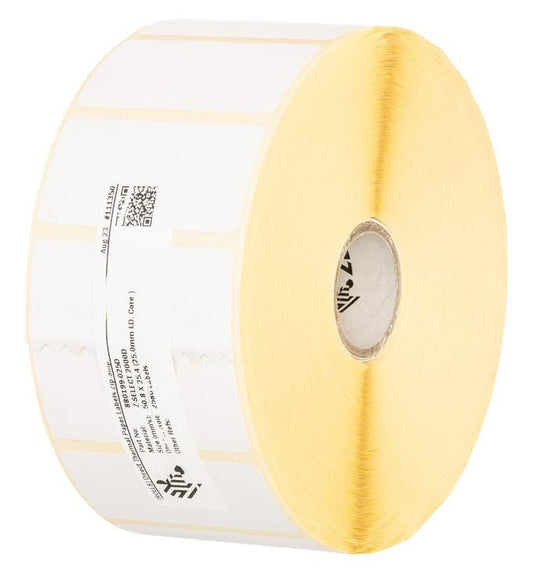
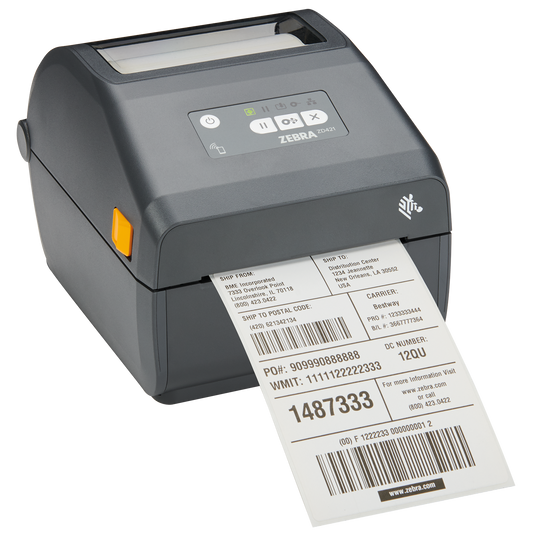
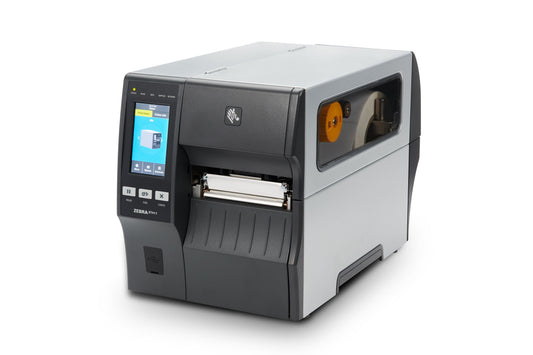
Only if you label goods in store, such as weighed or bakery items. A thermal label printer can print GS1 DataMatrix; use labels and print density that keep the code within the module size GS1 specifies, and verify a sample before rollout.
Where to go from here
Browse the full range of 2D-capable barcode scanners, from handhelds to in-counter models, and if you print your own price or weighed-goods labels, pick matching thermal labels so the new 2D codes stay sharp enough to scan first time.
Tags: